Sunday, 1 March 2026

TCP Performance Tuning on Linux

Whilst troubleshooting a couple of servers whose network throughput was poor, I found some good write ups of tuning Linux for TCP throughput that helped to figure out that the receive buffers had been tweaked to values that hampered performance. Often it's not the network that is at fault for poor performance & some deep diving is required to identify the root cause.

https://hpbn.co/building-blocks-of-tcp/
https://blog.cloudflare.com/optimizing-tcp-for-high-throughput-and-low-latency/
https://blog.cloudflare.com/when-the-window-is-not-fully-open-your-tcp-stack-is-doing-more-than-you-think/

Plus this handy guide to understanding the output of the ss tool for monitoring TCP sessions: https://blog.mygraphql.com/en/notes/low-tec/network/tcp-inspect/

Friday, 28 November 2025

Wireshark Cheat Sheet

Baseline Configuration

Edit > Preferences > Columns
Add column Title "ID", Type "Custom" & Fields "ip.id"
Add column Title "TCP Seq", Type "Custom" & Fields "tcp.seq"
Edit Time, set Type "UTC time"

Edit > Protocols > TCP
Untick Relative sequence numbers

View > Time Display Format > UTC Date and Time of Day

Quick Starting Points for Identifying Issues

Packet Loss
TCP Lost Segments (gaps in sequence numbers, indication of loss): tcp.analysis.lost_segment
Re-transmits (not necessarily packet loss) : (tcp.analysis.retransmission or tcp.analysis.fast_retransmission) and ip.addr==160.43.172.4
TCP Duplicate ACKs: tcp.analysis.duplicate_ack
TCP Resets: tcp.flags.reset==1 and ip.addr==160.43.172.4
TCP FIN: tcp.flags.fin==1 and ip.addr==160.43.172.4

Out of sequence TCP: tcp.analysis.out_of_order


Alternate syntax:
(ip.addr==10.83.230.68 && ip.addr==10.83.233.40) && (tcp.analysis.retransmission || tcp.analysis.fast_retransmission)

Proper verification of packet loss requires matching up packet captures from each end, re-transmits can be caused by CPU load, out of sequence packets, etc.
Absolute TCP sequence numbers, or packet IDs (for UDP) can be used to match packets at both ends.

DNS
DNS queries with no response:
dns and (dns.flags.response==0) and !dns.response_in

DNS queries that failed:
(!(dns.flags.rcode==0)) and (dns.flags.response==1)

Filtering
To exclude packets:
!(udp.port==3389)
!(ip.addr==10.83.157.11)


Note that != can have unexpected consequences

Decoding RTP Packets
If Wireshark could not auto-detect that UDP packets were RTP ones, you have to apply a display filter "udp and !rtp" and then randomly choose packets in the packet list, right-click them, choose Decode as... & mark them as RTP ones (both directions) until you have no packets left. Then you can remove the display filter and proceed to play back via Telephony > RTP > RTP Streams > Analyze > Play Streams.

Friday, 13 September 2024

Probably Overdue Update ;)

I haven't had any time for the blog due to real life commitments since about November 2022, but I have been plodding along with bug fixes & improvements to tooling, so head on over to my GitHub:

  • Fixed the SNMP ping sweep to work with Aruba (+ other vendors), after wrangling with snmpwalk. These updates were then applied to the automated pre & post checks tool also.
  • Improved the ACL decrufter via code simplification & bug fixes.
  • Rewritten the switch MAC ARP DNS report to handle multiple switches, with ARP & DNS lookup details & Arista support also.
  • Created a new tool switch MAC ARP DNS scraper, which attempts to answer the question "what's connected to what" for a given set of devices.

Wednesday, 14 December 2022

New Tool - Phone LSC Scraper

Over the years I've seen the CAPF Report in CUCM list incorrect certificate information quite a few times, which is awkward if you're using an LSC for VPN or .1x authentication & trying to report on incorrect or expired certificates.

The phone LSC scraper does a dynamic audit of certificates installed on phones by leveraging the AXL & RIS APIs. First it pulls list of SEP devices from AXL API, then uses this list to retrieve IP addresses of registered phones via the RIS API. Then it connects via HTTPS to each IP address & outputs the certificate subject & expiry date.

Configuration is taken from the same JSON files as the DN recording checker uses. However note that the application user requires Standard AXL API Access, Standard RealtimeAndTraceCollection & Standard Serviceability roles.

GitHub repo: https://github.com/Chris-P-15B/Voice-Automation


Example output:

python Phone_LSC_Scraper.py cucm-emea.json

Password:


160 SEP devices found in configuration.


SEP0004F2EBC0FE, 10.0.220.131, unable to connect.

SEP000832AA702F, 10.0.216.51, certificate subject {'serialNumber': 'PID:CP-8865 SN:FCH1136EABC', 'C': 'US', 'ST': 'NY', 'L': 'Albany', 'O': 'A Business', 'OU': 'IT Support', 'CN': 'CP-8865-SEP000832AA702F'}, expires 2026-10-07 11:14:06.

SEP000832AAAB7E, 10.0.216.134, certificate subject {'serialNumber': 'PID:CP-8865 SN:FCH1138DDEF', 'C': 'US', 'ST': 'NY', 'L': 'Albany', 'O': 'A Business', 'OU': 'IT Support', 'CN': 'CP-8865-SEP000832AAAB7E'}, expires 2026-10-07 11:14:09.


Speaking of the DN recording checker, that's been updated to include a column that describes the config issues found more clearly. It's also located in the Voice-Automation repo, along with instructions on creating the JSON configuration files.

Sunday, 21 August 2022

New Tool - Automated Pre & Post Checks

Due diligence is dull! Capturing before & after outputs when performing changes, then running a diff to spot possible issues is time consuming. So I made a tool that's easily extendable to do the legwork for me.

It connects via SSH to a specified list of network devices, automatically detects the platform & runs platform specific commands. Features additional role specific checks based on partial hostnames, optional ping sweep (pulls interface IP addresses via SNMP) & VRF aware BGP peer routes check. HTML post checks report with command output diffs is emailed out to specified email address as a zip file attachment. Each SSH session to a device is handled in a separate thread, for reduced execution times when running against multiple devices.

The first run of the tool will create a directory in the temporary files path, named after the change control ID. The output of the pre-checks will be stored as text files in this directory.

The second run of the tool will store the outputs of the post-checks in this directory, run a diff against the pre & post checks, generate an HTML report & send an email with it attached as a zip file.


https://github.com/Chris-P-15B/Automated-Pre-and-Post-Checks


Snippet from an example checkout report:


Wednesday, 23 March 2022

New Tool - ACL Decrufter

I changed jobs last year, so have been rather busy learning all kinds of new stuff related to low-latency networking. Anyway limited TCAM capacity on low-latency Arista or Cisco Nexus switches makes for limitations on how much ACLs you can configure. Remediating badly written ACLs by hand is boring, so I made a tool...

https://github.com/Chris-P-15B/ACL-Decrufter

Parses IOS XE, NX-OS or EOS ACL output from show access-list command & attempts to de-cruft it by removing Access Control Entries (ACE) covered by an earlier deny, permit/deny with overlapping networks and/or merging permit/deny for adjacent networks.

Example output:

Original ACL:
deny tcp 172.30.0.0/24 172.31.0.0/24
deny udp 172.30.0.0/24 172.31.0.0/24 eq 443
permit udp 172.30.0.0/24 172.31.0.0/25
permit udp 172.30.0.0/24 172.31.0.0/25 eq 443
permit ip 172.16.0.0/23 10.1.1.1/32
permit udp 172.16.1.0/24 10.1.1.1/32
permit tcp 172.16.0.0/24 10.1.1.1/32
permit tcp 172.16.0.0/25 10.1.1.0/24
permit udp 192.168.0.0/24 192.168.1.0/24
permit tcp 192.168.0.0/24 192.168.1.0/24
permit ip 10.1.1.1/32 172.16.0.0/23
permit udp 10.1.1.1/32 172.16.1.0/24
permit tcp 10.1.1.1/32 172.16.0.0/24
permit tcp 10.1.1.0/24 172.16.0.0/25
permit udp 192.168.1.0/24 192.168.0.0/24
permit udp 192.168.1.0/24 192.168.0.0/25
permit udp 192.168.1.0/24 192.168.0.128/25
permit tcp 192.168.1.0/24 192.168.0.0/24
permit ip 172.16.0.0/22 10.1.1.1/32
permit ip 172.16.0.0/23 10.1.1.1/32
permit tcp 192.168.0.0/24 192.168.0.0/23
permit ip 172.20.0.0/24 any
permit ip 172.20.1.0/24 any
permit ip 172.20.2.0/24 any
permit ip 172.20.3.0/24 any
permit tcp 192.168.254.0/24 192.168.255.0/24 range 100 200
permit tcp 192.168.254.0/24 192.168.255.0/24 range 50 250
permit udp 192.168.254.0/24 192.168.255.0/24 range 50 250
permit udp 192.168.254.0/24 192.168.255.0/24 gt 40
permit udp 192.168.254.0/24 192.168.255.0/24 neq 39

Non-Overlapping Deny ACL:
deny tcp 172.30.0.0/24 172.31.0.0/24
deny udp 172.30.0.0/24 172.31.0.0/24 eq 443
permit udp 172.30.0.0/24 172.31.0.0/25
permit ip 172.16.0.0/23 10.1.1.1/32
permit udp 172.16.1.0/24 10.1.1.1/32
permit tcp 172.16.0.0/24 10.1.1.1/32
permit tcp 172.16.0.0/25 10.1.1.0/24
permit udp 192.168.0.0/24 192.168.1.0/24
permit tcp 192.168.0.0/24 192.168.1.0/24
permit ip 10.1.1.1/32 172.16.0.0/23
permit udp 10.1.1.1/32 172.16.1.0/24
permit tcp 10.1.1.1/32 172.16.0.0/24
permit tcp 10.1.1.0/24 172.16.0.0/25
permit udp 192.168.1.0/24 192.168.0.0/24
permit udp 192.168.1.0/24 192.168.0.0/25
permit udp 192.168.1.0/24 192.168.0.128/25
permit tcp 192.168.1.0/24 192.168.0.0/24
permit ip 172.16.0.0/22 10.1.1.1/32
permit ip 172.16.0.0/23 10.1.1.1/32
permit tcp 192.168.0.0/24 192.168.0.0/23
permit ip 172.20.0.0/24 any
permit ip 172.20.1.0/24 any
permit ip 172.20.2.0/24 any
permit ip 172.20.3.0/24 any
permit tcp 192.168.254.0/24 192.168.255.0/24 range 100 200
permit tcp 192.168.254.0/24 192.168.255.0/24 range 50 250
permit udp 192.168.254.0/24 192.168.255.0/24 range 50 250
permit udp 192.168.254.0/24 192.168.255.0/24 gt 40
permit udp 192.168.254.0/24 192.168.255.0/24 neq 39

Non-Overlapping Networks ACL:
deny tcp 172.30.0.0/24 172.31.0.0/24
deny udp 172.30.0.0/24 172.31.0.0/24 eq 443
permit udp 172.30.0.0/24 172.31.0.0/25
permit tcp 172.16.0.0/25 10.1.1.0/24
permit udp 192.168.0.0/24 192.168.1.0/24
permit ip 10.1.1.1/32 172.16.0.0/23
permit tcp 10.1.1.0/24 172.16.0.0/25
permit udp 192.168.1.0/24 192.168.0.0/24
permit tcp 192.168.1.0/24 192.168.0.0/24
permit ip 172.16.0.0/22 10.1.1.1/32
permit tcp 192.168.0.0/24 192.168.0.0/23
permit ip 172.20.0.0/24 any
permit ip 172.20.1.0/24 any
permit ip 172.20.2.0/24 any
permit ip 172.20.3.0/24 any
permit tcp 192.168.254.0/24 192.168.255.0/24 range 50 250
permit udp 192.168.254.0/24 192.168.255.0/24 neq 39

Merged Adjacent Networks ACL:
deny tcp 172.30.0.0/24 172.31.0.0/24
deny udp 172.30.0.0/24 172.31.0.0/24 eq 443
permit udp 172.30.0.0/24 172.31.0.0/25
permit tcp 172.16.0.0/25 10.1.1.0/24
permit udp 192.168.0.0/24 192.168.1.0/24
permit ip 10.1.1.1/32 172.16.0.0/23
permit tcp 10.1.1.0/24 172.16.0.0/25
permit udp 192.168.1.0/24 192.168.0.0/24
permit tcp 192.168.1.0/24 192.168.0.0/24
permit ip 172.16.0.0/22 10.1.1.1/32
permit tcp 192.168.0.0/24 192.168.0.0/23
permit ip 172.20.0.0/22 any
permit tcp 192.168.254.0/24 192.168.255.0/24 range 50 250
permit udp 192.168.254.0/24 192.168.255.0/24 neq 39

Decrufted ACL:
deny tcp 172.30.0.0/24 172.31.0.0/24
deny udp 172.30.0.0/24 172.31.0.0/24 eq 443
permit udp 172.30.0.0/24 172.31.0.0/25
permit tcp 172.16.0.0/25 10.1.1.0/24
permit udp 192.168.0.0/24 192.168.1.0/24
permit ip 10.1.1.1/32 172.16.0.0/23
permit tcp 10.1.1.0/24 172.16.0.0/25
permit udp 192.168.1.0/24 192.168.0.0/24
permit tcp 192.168.1.0/24 192.168.0.0/24
permit ip 172.16.0.0/22 10.1.1.1/32
permit tcp 192.168.0.0/24 192.168.0.0/23
permit ip 172.20.0.0/22 any
permit tcp 192.168.254.0/24 192.168.255.0/24 range 50 250
permit udp 192.168.254.0/24 192.168.255.0/24 neq 39

Sunday, 4 July 2021

Incident Models

An incident model is a means to streamline & standardise the troubleshooting of critical business systems. As a guide it should include the following information:

  • Overview of the system or application
  • Topology diagram(s) and/or list of devices
  • Flowchart for the incident handling process, with checkpoints and/or milestones
  • Template for notifications to the business or stakeholders
  • Basic troubleshooting commands
  • Links to support contracts & contacts


Additional information can be included, such as links to in depth troubleshooting guides, the original design documentation or configuraton backups. Sometimes I like to include keywords that may be mentioned in tickets related to this system, to help 1st line staff quickly triage an incident & apply the appropriate incident model.

Thursday, 29 April 2021

Cisco Switch MAC Address Flapping Alerts

MAC address table instability can impact a switch's performance & on lower end switches cause high CPU utilisation that may impact other functions. Cisco switches can generate a syslog entry when they see a MAC address flap between ports, but it’s not enabled by default. Some NX-OS platforms actually temporarily disable MAC address table updates if a certain number of MAC address flaps occur within a set timeframe: https://www.cisco.com/c/en/us/support/docs/ios-nx-os-software/nx-os-software/213906-nexus-9000-mac-move-troubleshooting-and.html
The different switch platforms generate slightly different syslog messages, but the common factor is they all have MAC_MOVE in the text for NX-OS, or MACFLAP or HOSTFLAP for IOS / IOS XE. So I created an alert in Splunk to match these keywords in the last hour's log entries.

Commands

IOS / IOX XE:
mac address table notification mac-move

N3K:
mac address table notification mac-move
logging level fwm 6
logging monitor 6


N4K:
mac address table notification mac-move
logging level fwm 6
logging monitor 6


N5K / N6K:
mac address table notification mac-move
logging level fwm 6
logging monitor 6


N7K / N9K:
logging level l2fm 5

Monday, 22 February 2021

Parsing Cisco Extended ACLs in Python

A little toy project to entertain myself, as kept being asked to document & explain the ACLs on some perimeter routers. Takes the output of show access-list & does an incomplete parse of the extended ACL, then outputs it in semi-human readable or plain English form. I say an incomplete parse as only implemented enough syntax to parse the ACLs I was being asked about (e.g. IPv4 only). Some tinkering with the core regex & if/elif statements would make it parse a more complete extended ACL syntax.

Usage: ACL_parser.py [filename] [translate]
Where 'translate' is optional argument to display the ACL lines in English also.


Example ACL:

Extended IP access list MyACL
    10 permit tcp host 21.35.80.22 eq telnet host 21.23.77.101
    20 permit tcp 21.35.80.0 0.0.0.255 eq 16100 21.23.77.0 0.0.0.255 range 8192 8921 (149407 matches)
    30 permit udp 21.35.80.0 0.0.0.3 lt 17600 host 21.23.77.101 eq www (80592 matches)
    40 permit tcp host 21.35.80.27 eq 10701 host 21.23.77.101 established (26008 matches)
    50 permit udp host 21.35.80.22 neq telnet 21.23.77.128 0.0.0.127 gt 1023
    60 permit tcp host 21.35.80.25 eq 16100 host 21.23.77.101 range 8192 8921 (149407 matches)
    70 permit udp 21.35.80.0 0.0.0.127 lt 17600 21.23.77.128 0.0.0.127 (80592 matches)
    75 permit icmp any 192.168.0.0 0.0.0.255 echo log
    80 deny ip any any log (1 match)


Example output from above ACL:

python ACL_parser.py test_acl.txt translate


10 permit tcp host 21.35.80.22 eq 23 host 21.23.77.101
line 10 permit tcp connections from IP address 21.35.80.22 where port equals 23, to IP address 21.23.77.101

20 permit tcp 21.35.80.0/24 eq 16100 21.23.77.0/24 range 8192 8921
line 20 permit tcp connections from IP addresses 21.35.80.0 - 21.35.80.255 where port equals 16100, to IP addresses 21.23.77.0 - 21.23.77.255 where port between 8192 - 8921

30 permit udp 21.35.80.0/30 lt 17600 host 21.23.77.101 eq 80
line 30 permit udp connections from IP addresses 21.35.80.0 - 21.35.80.3 where port less than 17600, to IP address 21.23.77.101 where port equals 80

40 permit tcp host 21.35.80.27 eq 10701 host 21.23.77.101 established
line 40 permit tcp connections from IP address 21.35.80.27 where port equals 10701, to IP address 21.23.77.101 if the connection is already established

50 permit udp host 21.35.80.22 neq 23 21.23.77.128/25 gt 1023
line 50 permit udp connections from IP address 21.35.80.22 where port doesn't equal 23, to IP addresses 21.23.77.128 - 21.23.77.255 where port greater than 1023

60 permit tcp host 21.35.80.25 eq 16100 host 21.23.77.101 range 8192 8921
line 60 permit tcp connections from IP address 21.35.80.25 where port equals 16100, to IP address 21.23.77.101 where port between 8192 - 8921

70 permit udp 21.35.80.0/25 lt 17600 21.23.77.128/25
line 70 permit udp connections from IP addresses 21.35.80.0 - 21.35.80.127 where port less than 17600, to IP addresses 21.23.77.128 - 21.23.77.255

75 permit icmp any 192.168.0.0/24 echo log
line 75 permit icmp connections from IP address any, to IP addresses 192.168.0.0 - 192.168.0.255 for ICMP echo, and log

80 deny ip any any log
line 80 deny ip connections from IP address any, to IP address any, and log


Source Code

#!/usr/bin/env python3

import re
import ipaddress
import sys

"""
Written by Chris Perkins in 2021
Licence: BSD 3-Clause

Parse Cisco extended ACL output from show access-list command & display in a human readable format
"""

# Subnet / wildcard mask to CIDR prefix length lookup table
SUBNET_MASKS = {
    "128.0.0.0": "1",
    "127.255.255.255": "1",
    "192.0.0.0": "2",
    "63.255.255.255": "2",
    "224.0.0.0": "3",
    "31.255.255.255": "3",
    "240.0.0.0": "4",
    "15.255.255.255": "4",
    "248.0.0.0": "5",
    "7.255.255.255": "5",
    "252.0.0.0": "6",
    "3.255.255.255": "6",
    "254.0.0.0": "7",
    "1.255.255.255": "7",
    "255.0.0.0": "8",
    "0.255.255.255": "8",
    "255.128.0.0": "9",
    "0.127.255.255": "9",
    "255.192.0.0": "10",
    "0.63.255.255": "10",
    "255.224.0.0": "11",
    "0.31.255.255": "11",
    "255.240.0.0": "12",
    "0.15.255.255": "12",
    "255.248.0.0": "13",
    "0.7.255.255": "13",
    "255.252.0.0": "14",
    "0.3.255.255": "14",
    "255.254.0.0": "15",
    "0.1.255.255": "15",
    "255.255.0.0": "16",
    "0.0.255.255": "16",
    "255.255.128.0": "17",
    "0.0.0.127.255": "17",
    "255.255.192.0": "18",
    "0.0.63.255": "18",
    "255.255.224.0": "19",
    "0.0.31.255": "19",
    "255.255.240.0": "20",
    "0.0.15.255": "20",
    "255.255.248.0": "21",
    "0.0.7.255": "21",
    "255.255.252.0": "22",
    "0.0.3.255": "22",
    "255.255.254.0": "23",
    "0.0.1.255": "23",
    "255.255.255.0": "24",
    "0.0.0.255": "24",
    "255.255.255.128": "25",
    "0.0.0.127": "25",
    "255.255.255.192": "26",
    "0.0.0.63": "26",
    "255.255.255.224": "27",
    "0.0.0.31": "27",
    "255.255.255.240": "28",
    "0.0.0.15": "28",
    "255.255.255.248": "29",
    "0.0.0.7": "29",
    "255.255.255.252": "30",
    "0.0.0.3": "30",
    "255.255.255.254": "31",
    "0.0.0.1": "31",
    "255.255.255.255": "32",
    "0.0.0.0": "32",
}

# Port names to port numbers lookup table
PORT_NAMES = {
    "aol": "5190",
    "bgp": "179",
    "biff": "512",
    "bootpc": "68",
    "bootps": "67",
    "chargen": "19",
    "cifs": "3020",
    "citrix-ica": "1494",
    "cmd": "514",
    "ctiqbe": "2748",
    "daytime": "13",
    "discard": "9",
    "dnsix": "195",
    "domain": "53",
    "echo": "7",
    "exec": "512",
    "finger": "79",
    "ftp": "21",
    "ftp-data": "20",
    "gopher": "70",
    "h323": "1720",
    "hostname": "101",
    "http": "80",
    "https": "443",
    "ident": "113",
    "imap4": "143",
    "irc": "194",
    "isakmp": "500",
    "kerberos": "750",
    "klogin": "543",
    "kshell": "544",
    "ldap": "389",
    "ldaps": "636",
    "login": "513",
    "lotusnotes": "1352",
    "lpd": "515",
    "mobile-ip": "434",
    "nameserver": "42",
    "netbios-dgm": "138",
    "netbios-ns": "137",
    "netbios-ssn": "139",
    "nfs": "2049",
    "nntp": "119",
    "ntp": "123",
    "pcanywhere-data": "5631",
    "pcanywhere-status": "5632",
    "pim-auto-rp": "496",
    "pop2": "109",
    "pop3": "110",
    "pptp": "1723",
    "radius": "1645",
    "radius-acct": "1646",
    "rip": "520",
    "rsh": "514",
    "rtsp": "554",
    "secureid-udp": "5510",
    "sip": "5060",
    "smtp": "25",
    "snmp": "161",
    "snmptrap": "162",
    "sqlnet": "1521",
    "ssh": "22",
    "sunrpc": "111",
    "syslog": "514",
    "tacacs": "49",
    "talk": "517",
    "telnet": "23",
    "tftp": "69",
    "time": "37",
    "uucp": "540",
    "vxlan": "4789",
    "who": "513",
    "whois": "43",
    "www": "80",
    "xdmcp": "177",
}

# ACL operator names lookup table
OPERATOR_NAMES = {
    "eq": "equals",
    "neq": "doesn't equal",
    "lt": "less than",
    "gt": "greater than",
    "range": "between",
}


def main():
    """Parse ACL from text file"""
    mansplain = False
    if len(sys.argv) < 2:
        print(f"Usage: {sys.argv[0]} [filename] [translate]")
        print(
            "Where 'translate' is optional argument to display the ACL lines in English also."
        )
        sys.exit(1)
    elif len(sys.argv) == 3:
        if sys.argv[2].lower() == "translate":
            mansplain = True

    try:
        with open(sys.argv[1]) as f:
            acl_string = f.read()
    except FileNotFoundError:
        print(f"Unable to open {sys.argv[1]}")
        sys.exit(1)

    for line in acl_string.splitlines():
        acl_parts = re.search(
            r"^\s*(\d+)\s+(permit|deny)\s(\w+)\s(\d+\.\d+\.\d+\.\d+|any|host)\s*(\d+\.\d+\.\d+\.\d+)?"
            r"\s*(eq|neq|lt|gt|range)?\s*([\w\-]+|[\w\-]+\s[\w\-]+)?\s*(established|echo|echo\-reply)?\s(\d+\.\d+\.\d+\.\d+|any|host)"
            r"\s*(\d+\.\d+\.\d+\.\d+)?\s*(eq|neq|lt|gt|range)?\s*([\w\-]+|[\w\-]+\s[\w\-]+)?\s*(established|echo|echo\-reply)?"
            r"\s*(log\-input|log)?\s*(\(\d+ match(es)?\))?$",
            line.lower(),
        )
        ace_dict = {
            "line_num": "",
            "action": "",
            "protocol": "",
            "source_network": "",
            "source_operator": "",
            "source_ports": "",
            "source_modifier": "",
            "destination_network": "",
            "destination_operator": "",
            "destination_ports": "",
            "destination_modifier": "",
            "optional_action": "",
        }

        if not acl_parts:
            continue

        # Parse the Access Control Entry items into a dictionary
        for item in acl_parts.groups():
            item = item if item is not None else ""
            if not ace_dict["line_num"] and re.search(r"^\d+", item):
                ace_dict["line_num"] = item
            elif not ace_dict["action"] and item in ["permit", "deny"]:
                ace_dict["action"] = item
            elif not ace_dict["protocol"] and item in [
                "ahp",
                "esp",
                "eigrp",
                "gre",
                "icmp",
                "igmp",
                "igrp",
                "ip",
                "ipv4",
                "ipinip",
                "nos",
                "ospf",
                "pim",
                "pcp",
                "tcp",
                "udp",
            ]:
                ace_dict["protocol"] = item
            elif not ace_dict["source_network"] and re.search(
                r"\d+\.\d+\.\d+\.\d+|any|host", item
            ):
                ace_dict["source_network"] = item
            elif (
                ace_dict["source_network"]
                and not ace_dict["destination_network"]
                and item in SUBNET_MASKS
            ):
                ace_dict["source_network"] += f"/{SUBNET_MASKS[item]}"
            elif (
                ace_dict["source_network"]
                and ace_dict["source_network"] == "host"
                and not ace_dict["destination_network"]
                and re.search(r"\d+\.\d+\.\d+\.\d+", item)
            ):
                ace_dict["source_network"] += f" {item}"
            elif (
                ace_dict["source_network"]
                and not ace_dict["destination_network"]
                and item in OPERATOR_NAMES
            ):
                ace_dict["source_operator"] = item
            elif (
                ace_dict["source_operator"]
                and not ace_dict["source_ports"]
                and re.search(r"\w+|\w+\s\w+", item)
            ):
                for port_number in item.split():
                    if port_number in PORT_NAMES:
                        ace_dict["source_ports"] += f" {PORT_NAMES[port_number]}"
                    else:
                        ace_dict["source_ports"] += f" {port_number}"
                ace_dict["source_ports"] = ace_dict["source_ports"].strip()
            elif (
                ace_dict["source_network"]
                and not ace_dict["destination_network"]
                and item in ["established", "echo", "echo-reply"]
            ):
                ace_dict["source_modifier"] = item
            elif not ace_dict["destination_network"] and re.search(
                r"\d+\.\d+\.\d+\.\d+|any|host", item
            ):
                ace_dict["destination_network"] = item
            elif ace_dict["destination_network"] and item in SUBNET_MASKS:
                ace_dict["destination_network"] += f"/{SUBNET_MASKS[item]}"
            elif (
                ace_dict["destination_network"]
                and ace_dict["destination_network"] == "host"
                and re.search(r"\d+\.\d+\.\d+\.\d+", item)
            ):
                ace_dict["destination_network"] += f" {item}"
            elif ace_dict["destination_network"] and item in OPERATOR_NAMES:
                ace_dict["destination_operator"] = item
            elif (
                ace_dict["destination_operator"]
                and not ace_dict["destination_ports"]
                and re.search(r"\w+|\w+\s\w+", item)
            ):
                for port_number in item.split():
                    if port_number in PORT_NAMES:
                        ace_dict["destination_ports"] += f" {PORT_NAMES[port_number]}"
                    else:
                        ace_dict["destination_ports"] += f" {port_number}"
                ace_dict["destination_ports"] = ace_dict["destination_ports"].strip()
            elif ace_dict["destination_network"] and item in [
                "established",
                "echo",
                "echo-reply",
            ]:
                ace_dict["destination_modifier"] = item
            elif (
                ace_dict["source_network"]
                and ace_dict["destination_network"]
                and item in ["log", "log-input"]
            ):
                ace_dict["optional_action"] = item

        parsed_ace = (
            f"{ace_dict['line_num']} "
            f"{ace_dict['action']} "
            f"{ace_dict['protocol']} "
            f"{ace_dict['source_network']} "
            f"{ace_dict['source_operator']} "
            f"{ace_dict['source_ports']} "
            f"{ace_dict['source_modifier']} "
            f"{ace_dict['destination_network']} "
            f"{ace_dict['destination_operator']} "
            f"{ace_dict['destination_ports']} "
            f"{ace_dict['destination_modifier']} "
            f"{ace_dict['optional_action']} "
        )
        print(re.sub(r" +", " ", parsed_ace))

        if mansplain:
            mansplained = (
                f"line {ace_dict['line_num']} {ace_dict['action']} {ace_dict['protocol']}"
                " connections"
            )
            if (
                "host" in ace_dict["source_network"]
                or "/" not in ace_dict["source_network"]
            ):
                mansplained += (
                    f" from IP address {ace_dict['source_network'].split()[-1]}"
                )
            else:
                ip_network = ipaddress.IPv4Network(ace_dict["source_network"])
                mansplained += (
                    f" from IP addresses {ip_network.network_address} - "
                    f"{ip_network.broadcast_address}"
                )
            if ace_dict["source_operator"]:
                if len(ace_dict["source_ports"].split()) == 2:
                    mansplained += (
                        f" where port {OPERATOR_NAMES[ace_dict['source_operator']]} "
                        f"{ace_dict['source_ports'].split()[0]} - {ace_dict['source_ports'].split()[1]}"
                    )
                else:
                    mansplained += (
                        f" where port {OPERATOR_NAMES[ace_dict['source_operator']]} "
                        f"{ace_dict['source_ports']}"
                    )
            if ace_dict["source_modifier"]:
                if ace_dict["source_modifier"] == "established":
                    mansplained += f" if the connection is already established"
                if ace_dict["source_modifier"] == "echo":
                    mansplained += f" for ICMP echo"
                if ace_dict["source_modifier"] == "echo-reply":
                    mansplained += f" for ICMP echo reply"
            if (
                "host" in ace_dict["destination_network"]
                or "/" not in ace_dict["destination_network"]
            ):
                mansplained += (
                    f", to IP address {ace_dict['destination_network'].split()[-1]}"
                )
            else:
                ip_network = ipaddress.IPv4Network(ace_dict["destination_network"])
                mansplained += f", to IP addresses {ip_network.network_address} - {ip_network.broadcast_address}"
            if ace_dict["destination_operator"]:
                if len(ace_dict["destination_ports"].split()) == 2:
                    mansplained += (
                        f" where port {OPERATOR_NAMES[ace_dict['destination_operator']]} "
                        f"{ace_dict['destination_ports'].split()[0]} - {ace_dict['destination_ports'].split()[1]}"
                    )
                else:
                    mansplained += (
                        f" where port {OPERATOR_NAMES[ace_dict['destination_operator']]} "
                        f"{ace_dict['destination_ports']}"
                    )
            if ace_dict["destination_modifier"]:
                if ace_dict["destination_modifier"] == "established":
                    mansplained += f" if the connection is already established"
                if ace_dict["destination_modifier"] == "echo":
                    mansplained += f" for ICMP echo"
                if ace_dict["destination_modifier"] == "echo-reply":
                    mansplained += f" for ICMP echo reply"
            if ace_dict["optional_action"]:
                mansplained += f", and {ace_dict['optional_action']}"
            print(f"{mansplained}\n")


if __name__ == "__main__":
    main()

Sunday, 3 January 2021

Debugging .1x / RADIUS on 3850 Switches

It used to be you could simply enable the AAA and/or RADIUS debugs & review the outputs at your leisure via your favourite syslog analysis tool, such as Splunk or ELK stack. But on the 3650 & 3850 switches that's not the case, you have to use traces which aren't sent to syslog. Amended process below, though do note that the commands changed between IOS XE 3.x & 16.x releases.


First of all enable rotating the traces between files, so that you don't overwrite the outputs accidentally:

request platform software trace rotate all

Enable the traces that cover .1x, AAA & RADIUS:

set platform software trace smd R0 radius debug
set platform software trace smd R0 dot1x-all debug
set platform software trace smd R0 auth-mgr-all debug
set platform software trace smd R0 epm-all debug


Reproduce the issue & view the last 1,000 lines of traces:

show platform software trace message smd switch active R0

To view more traces requires exporting the traces for a set time period, then uploading off the switch:

request platform software trace archive last x days target flash:blah
copy flash:blah ftp:


Once you're done, return the traces to their usual state:

set platform software trace smd R0 radius notice
set platform software trace smd R0 dot1x-all notice
set platform software trace smd R0 auth-mgr-all notice
set platform software trace smd R0 epm-all notice


Which segways into why I'm writing about this...Had to diagnose wired .1x authentication failures that turned out to be a bug where a 3850 with equal cost uplinks (pretty common!) will chew up some of the RADIUS Access-Requests. Fun part is the RADIUS server never replies to the broken RADIUS message, so the switch then thinks the RADIUS server is timing out & marks it dead, which you'll see along with incrementing timeouts under show aaa servers. This was fixed in IOS XE 16.9.6.

Friday, 10 April 2020

Automated CUCM CDR Exception Analyser

So Covid-19 containment has resulted in some spare time that would otherwise have been spent commuting, so I finally got around to creating something I've been meaning to do ever since I left AT&T Global Network Services, which is try to replicate their CDR exception analysis reporting. For customer's managed CUCM deployments AT&T would do an analysis of the CDR/CMR files & pick out repeated instances of non-normal call termination cause codes, as well as instances of poor call quality.
My automated version doesn't do quite the same depth of analysis, but does provide an interesting insight into the surprisingly varied & many things going wrong behind the scenes in a CUCM deployment. A CDR exception being:
  • For a given source device, all instances of a particular source cause code
  • For a given source device, all instances of a particular destination cause code
  • For a given destination device, all instances of a particular source cause code
  • For a given destination device, all instances of a particular destination cause code
  • For a given source device, all instances of poor MoS or CCR
  • For a given destination device, all instances of poor MoS or CCR

 Project hosted on my GitHub

Monday, 20 January 2020

Some Open Source Python Networking Tools

I've been tinkering on & off for a while now with using Python to create tools to automate repetitive tasks & occasionally posting the source code on this blog. I've now published them all on GitHub under the BSD 3-clause licence, so that hopefully others can use & adapt them. Links below:

Data Tools

Voice Tools

Long term I'm thinking about putting together a front end using Flask to tie this all together into a self-service portal, but motivation terms & conditions apply (*need recertify my CCIE again this year).

Wednesday, 27 November 2019

Converting Monitor Capture Dump to PCAP

Most recent Cisco platforms support the Embedded Packet Capture feature, which allows us to take packet captures directly on a router or switch without having to use SPAN to an attached device. Detailed instructions here: Embedded Packet Capture for Cisco IOS and IOS-XE Configuration Example

Normally you can export the resulting packet capture to an FTP or TFTP server, however if this is blocked by firewalls or you don't have access to a suitable server, this is a workaround. Using the show monitor capture buffer dump command we can view the raw packet capture data, but it isn't in a format that Wireshark understands:

router1#show monitor capture buffer CAP dump
03:57:20.288 EST Nov 27 2019 : IPv4 LES CEF : Gi0/0 None

45ED3640: 3890A5D2 BDE07486 0BAD7BC0 08004500 8.%R=`t..-{@..E.
45ED3650: 0028928F 40003106 8B850A52 7A1E0A53 .(..@.1....Rz..S
45ED3660: 9CF8AD60 00161620 FB112DB5 2E9C5010 .x-`... {.-5..P.
45ED3670: F88C7092 00000000 00000000 00       x.p..........

03:57:20.288 EST Nov 27 2019 : IPv4 LES CEF : Gi0/0 None

45ED3640: 3890A5D2 BDE07486 0BAD7BC0 08004500 8.%R=`t..-{@..E.
45ED3650: 00289290 40003106 8B840A52 7A1E0A53 .(..@.1....Rz..S
45ED3660: 9CF8AD60 00161620 FB112DB5 2E9C5010 .x-`... {.-5..P.
45ED3670: F88C7092 00000000 00000000 00       x.p..........


If you copy this raw data to a text file, there is an open source tool to help with this: ciscoText2pcap

First pipe the saved output into ciscoText2pcap & in turn pipe its output into another text file:

cat input.txt | ./ciscoText2pcap.pl > output.txt

Then use Wireshark's text2pcap tool to convert it to a valid PCAP file:

text2pcap -d output.txt output.pcap

Note that you'll need both Perl & Wireshark installed to be able to do this.

UPDATE: Alternatively I knocked together a Python version that can also handle timestamps, source code below.

#!/usr/bin/env python
# (c) 2019, Chris Perkins
# Converts Cisco EPC "show monitor capture buffer dump" into format usable by text2pcap
# Use text2pcap -d -t "%Y-%m-%d %H:%M:%S." to convert output to PCAP whilst showing parsing info
# Based on ciscoText2pcap https://github.com/mad-ady/ciscoText2pcap

# v1.1 - added time stamp handling, converts into UTC
# v1.0 - initial release

import sys, re, pytz, datetime

if __name__ == "__main__":
    # Parse command line parameters
    if len(sys.argv) != 3:
        print("Please specify source & destination files as parameters.")
        sys.exit(1)
    # Parse input file via regex
    try:
        with open(sys.argv[1]) as in_file:
            with open(sys.argv[2], 'w') as out_file:
                packet_start = 0
                for line in in_file:
                    # Regex to find timestamp, then manipulate into format text2pcap can use, as %z or %Z is failing
                    time_date = re.search(r"^(\d\d:\d\d:\d\d\.\d+) (\w+) ([\w ]+) : ", line)
                    if time_date:
                        # Use pytz to parse timezone, then make datetime object TZ aware & convert into UTC
                        try:
                            tz = pytz.timezone(time_date.group(2))
                            dt = datetime.datetime.strptime(f"{time_date.group(3).rstrip()} {time_date.group(1).rstrip()}",
                                "%b %d %Y %H:%M:%S.%f")
                            dt = dt.replace(tzinfo=tz)
                            dt = dt.astimezone(tz=datetime.timezone.utc)
                            out_file.write(f"{dt.strftime('%Y-%m-%d %H:%M:%S.%f')}\n")
                        except IndexError:
                            pass
                        # Continue to next line in input file
                        continue
                    # Regex to find valid blocks of hexadecimal
                    hex_dump = re.search(r"^[0-9A-F]+:\s+((?:[0-9A-F]+ ){1,4}) (.+)\n", line)
                    if hex_dump:
                        # Iterate through each block of hex & split into sets of 2 digits with spaces inbetween
                        char_list = hex_dump.group(1).split()
                        for chars in char_list:
                            packet_hex = ''
                            for i in range(1,len(chars),2):
                                packet_hex += f"{chars[i-1:i+1]} "
                            packet_hex = packet_hex.rstrip()
                            # Output packet as offset (8 hex digits) + hex string
                            out_file.write(f"{packet_start:08X} {packet_hex}\n")
                            packet_start += len(chars) // 2
                    else:
                        # End of packet
                        packet_start = 0
    except FileNotFoundError:
        print(f"Unable to open file {sys.argv[1]}")
        sys.exit(1)
    except OSError:
        print(f"Unable to write file {sys.argv[2]}")
        sys.exit(1)

Thursday, 5 September 2019

Nexus Switch PTP Intervals

There's a number of timers you can adjust to control the frequency of various PTP messages on Nexus switches. However the values to configure are somewhat obtuse in Cisco's documentation. For example if you read the NX-OS config guide it says:

ptp announce [interval log seconds | timeout count]
Configures the interval between PTP announce messages on an interface or the number of PTP intervals before a timeout occurs on an interface.
The range for the PTP announcement interval is from 0 to 4 seconds, and the range for the interval timeout is from 2 to 10.

ptp delay request minimum interval log seconds
Configures the minimum interval allowed between PTP delay-request messages when the port is in the master state.
The range is from log(-6) to log(1) seconds.

ptp sync interval log seconds
Configures the interval between PTP synchronization messages on an interface.
The range for the PTP synchronization interval is from -3 log second to 1 log second

But how to interpret the log seconds values? It is described as the logarithmic mean interval in seconds. Which basically means number of seconds between PTP messages = 2 ^ interval value. For example 2 ^ -3 = 0.125s between messages, or 8 messages a second. So some common values are:

Interval 2 = 1 packet every 4 seconds
Interval 1 = 1 packet every 2 seconds
Interval 0 = 1 packet every second
Interval -1 = 2 packets every second
Interval -2 = 4 packets every second
Interval -3 = 8 packets every second


On a related note, by default Nexus switches can act as a grandmaster clock & Cisco best practice is to disable this functionality via "no ptp grandmaster-capable". As it is default configuration you'll need to use  "show run all | inc ptp grandmaster-capable" in order to see the default command enabling it. Some further reading https://www.cisco.com/c/en/us/support/docs/ip/network-time-protocol-ntp/212139-Configure-and-troubleshoot-PTP-in-Nexus.html

Wednesday, 24 April 2019

External Phone Number Mask Checker

Overview
Tool to check the external phone number mask on the primary line of phones (tkclass=1) & device profiles (tkclass=254). Incorrect masks can then optionally be fixed via import from a CSV files.
It shares dial plan configuration in dialplan.json with the Dial Plan Analyser tool.
Requires Python 3 to run, many Linux distros have Python installed by default. For Windows the easiest install is the official Python Windows version, or Miniconda works fine too:
Miniconda distribution of Python: https://conda.io/miniconda.html
Official Python distribution: https://www.python.org/downloads/

The lxml, Requests, urllib3 and Zeep libraries are required to work.

Version History
Written by Chris Perkins in 2019:
v1.1 - fixed CSV output to UTF-8, fixed E.164 mask handling.
v1.0 – initial release.

All testing was done using Windows with CUCM v11.5.

Using the Tool
It connects to CUCM via the AXL API, so the AXL schema for the version of CUCM in use is required, this is downloaded from CUCM via Application > Plugins > Cisco AXL Toolkit. The required files contained within the .zip file are AXLAPI.wsdl, AXLEnums.xsd and AXLSoap.xsd.
Different CUCM servers are defined in JSON formatted files, allowing for multiple CUCM clusters running different versions (and thus different AXL schemas). Load the CSV file via File > Load AXL:

It will then prompt for the password:

If you wish to save the output in a CSV file, enter the filename into the text box:

Click Check Number Masks, the results will be displayed & optionally saved.

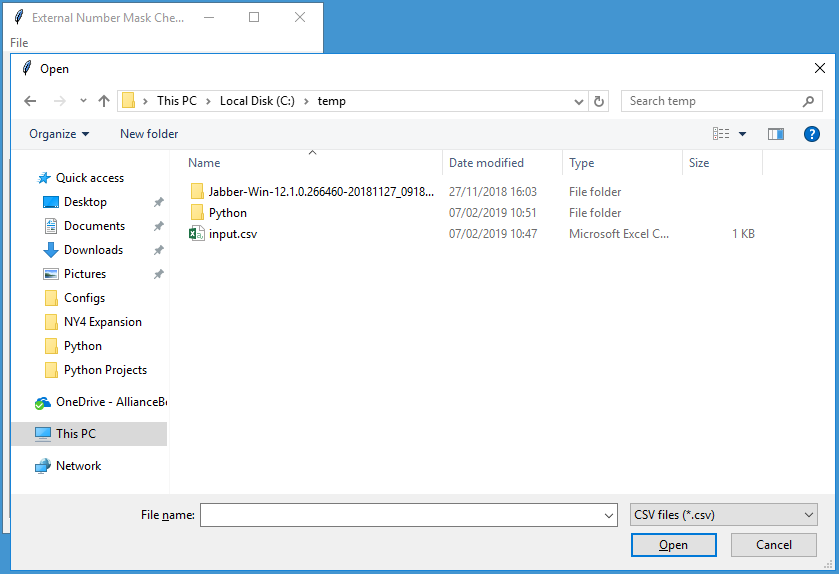
To fix external phone number masks, first review the outputted CSV file. Remove any rows that should be left alone & optionally adjust the New Number Mask if desired, then save it.

If you wish to save the failed updates to a CSV file, enter the filename into the text box. Then click Update Number Masks, it will prompt for the CSV file of updates to make. Any failed updates will be displayed & optionally saved.


Customising the Tool
The direct dial ranges to search for can be customised, so that the tool can be used for any CUCM cluster. These settings are stored in dialplan.json (shared with the Dial Plan Analyser) in JSON format, for example:
[
{
"range_start": "87300",
"range_end": "87399",
"partition": "lon_line_pt",
"mask": "0203100XXXX",
"description": "London 020310073XX"
}
]

The JSON file starts with [ and ends with ].
Each direct dial range is enclosed within { } and contains parameters for the description, range start, range end, mask and partition. The field headings and values must be enclosed within “”.
The range end must be greater than the range start.
The direct dial ranges must have a comma after each, except for the last one.

So to add another range to the above example:
[
{
"range_start": "87300",
"range_end": "87399",
"partition": "lon_line_pt",
"mask": "0203100XXXX",
"description": "London 020310073XX"
},
{
"range_start": "80501",
"range_end": "80700",
"partition": "lon_line_pt",
"mask": "0207170XXXX",
"description": "London 02071700[5-7]XX"
}
]

The parameters for using AXL are also stored in JSON format:
[
{
"fqdn": "cucm-emea-pub.somewhere.com",
"username": "AppAdmin",
"wsdl_file": "file://C://temp//AXLAPI.wsdl"
}
]

“fqdn” should be the FQDN or IP address of the target CUCM publisher.
“username” is an application or end user with the Standard AXL API Access role.
“wsdl_file” points to the location of the AXL schema, note the slightly different path syntax for Windows.

Source Code

#!/usr/bin/env python
# v1.1 - written by Chris Perkins in 2019
# Finds & fixes primary DN's in specified range(s) with an External Phone Number Masks that doesn't match the approved list

# v1.1 - fixed CSV output to UTF-8, fixed E.164 mask handling
# v1.0 – initial release

# Original AXL SQL query code courtesy of Jonathan Els - https://afterthenumber.com/2018/04/27/serializing-thin-axl-sql-query-responses-with-python-zeep/

# To Do:
# Improve the GUI

import sys, json, csv
import tkinter as tk
import requests
from tkinter import ttk
from tkinter import filedialog, simpledialog, messagebox
from collections import OrderedDict
from zeep import Client
from zeep.cache import SqliteCache
from zeep.transports import Transport
from zeep.plugins import HistoryPlugin
from zeep.exceptions import Fault
from zeep.helpers import serialize_object
from requests import Session
from requests.auth import HTTPBasicAuth
from urllib3 import disable_warnings
from urllib3.exceptions import InsecureRequestWarning
from lxml import etree

# GUI and main code
class GUIFrame(tk.Frame):

    def __init__(self, parent):
        """Constructor checks parameters and initialise variables"""
        self.axl_input_filename = None
        self.axl_password = ""
        self.csv_input_filename = None

        try:
            with open("dialplan.json") as f:
                self.json_data = json.load(f)
                for range_data in self.json_data:
                    try:
                        if len(range_data['range_start']) != len(range_data['range_end']):
                            tk.messagebox.showerror(title="Error", message="The first and last numbers in range must be of equal length.")
                            sys.exit()
                        elif int(range_data['range_start']) >= int(range_data['range_end']):
                            tk.messagebox.showerror(title="Error", message="The last number in range must be greater than the first.")
                            sys.exit()
                    except (TypeError, ValueError, KeyError):
                        tk.messagebox.showerror(title="Error", message="Number range parameters incorrectly formatted.")
                        sys.exit()
                    try:
                        if not range_data['mask']:
                            tk.messagebox.showerror(title="Error", message="Number mask must be specified.")
                            sys.exit()
                    except KeyError:
                        tk.messagebox.showerror(title="Error", message="Number mask must be specified.")
                        sys.exit()
                    try:
                        if not range_data['partition']:
                            tk.messagebox.showerror(title="Error", message="Partition must be specified.")
                            sys.exit()
                    except KeyError:
                        tk.messagebox.showerror(title="Error", message="Partition must be specified.")
                        sys.exit()
        except FileNotFoundError:
            messagebox.showerror(title="Error", message="Unable to open JSON file.")
            sys.exit()
        except json.decoder.JSONDecodeError:
            messagebox.showerror(title="Error", message="Unable to parse JSON file.")
            sys.exit()

        tk.Frame.__init__(self, parent)
        parent.geometry("320x480")
        self.pack(fill=tk.BOTH, expand=True)
        menu_bar = tk.Menu(self)
        file_menu = tk.Menu(menu_bar, tearoff=0)
        file_menu.add_command(label="Load AXL", command=self.open_json_file_dialog)
        file_menu.add_separator()
        file_menu.add_command(label="Exit", command=self.quit)
        menu_bar.add_cascade(label="File", menu=file_menu)
        parent.config(menu=menu_bar)
        tk.Label(self, text="Output Filename:").place(relx=0.2, rely=0.0, height=22, width=200)
        self.output_csv_text = tk.StringVar()
        tk.Entry(self, textvariable=self.output_csv_text).place(relx=0.2, rely=0.05, height=22, width=200)
        tk.Button(self, text="Check Number Masks", command=self.check_masks).place(relx=0.08, rely=0.12, height=22, width=135)
        tk.Button(self, text="Update Number Masks", command=self.update_masks).place(relx=0.52, rely=0.12, height=22, width=135)
        self.results_count_text = tk.StringVar()
        self.results_count_text.set("Results Found: ")
        tk.Label(self, textvariable=self.results_count_text).place(relx=0.20, rely=0.18, height=22, width=210)
        list_box_frame = tk.Frame(self, bd=2, relief=tk.SUNKEN)
        list_box_scrollbar_y = tk.Scrollbar(list_box_frame)
        list_box_scrollbar_x = tk.Scrollbar(list_box_frame, orient=tk.HORIZONTAL)
        self.list_box = tk.Listbox(list_box_frame, xscrollcommand=list_box_scrollbar_x.set, yscrollcommand=list_box_scrollbar_y.set)
        list_box_frame.place(relx=0.02, rely=0.22, relheight=0.75, relwidth=0.96)
        list_box_scrollbar_y.place(relx=0.94, rely=0.0, relheight=1.0, relwidth=0.06)
        list_box_scrollbar_x.place(relx=0.0, rely=0.94, relheight=0.06, relwidth=0.94)
        self.list_box.place(relx=0.0, rely=0.0, relheight=0.94, relwidth=0.94)
        list_box_scrollbar_y.config(command=self.list_box.yview)
        list_box_scrollbar_x.config(command=self.list_box.xview)

    def element_list_to_ordered_dict(self, elements):
        """Convert list to OrderedDict"""
        return [OrderedDict((element.tag, element.text) for element in row) for row in elements]


    def sql_query(self, service, sql_statement):
        """Execute SQL query via AXL and return results"""
        try:
            axl_resp = service.executeSQLQuery(sql=sql_statement)
            try:
                return self.element_list_to_ordered_dict(serialize_object(axl_resp)["return"]["rows"])
            except KeyError:
                # Single tuple response
                return self.element_list_to_ordered_dict(serialize_object(axl_resp)["return"]["row"])
            except TypeError:
                # No SQL tuples
                return serialize_object(axl_resp)["return"]
        except requests.exceptions.ConnectionError as e:
            tk.messagebox.showerror(title="Error", message=str(e))
            return None

    def sql_update(self, service, sql_statement):
        """Execute SQL update via AXL and return rows updated"""
        try:
            axl_resp = service.executeSQLUpdate(sql=sql_statement)
            return serialize_object(axl_resp)["return"]["rowsUpdated"]
        except requests.exceptions.ConnectionError as e:
            tk.messagebox.showerror(title="Error", message=str(e))
            return None

    def read_axl(self, output_filename):
        """Check configuration via AXL SQL query"""
        try:
            self.list_box.delete(0, tk.END)
            self.results_count_text.set("Results Found: ")
            with open(self.axl_input_filename) as f:
                axl_json_data = json.load(f)
                for axl_json in axl_json_data:
                    try:
                        if not axl_json['fqdn']:
                            tk.messagebox.showerror(title="Error", message="FQDN must be specified.")
                            return
                    except KeyError:
                        tk.messagebox.showerror(title="Error", message="FQDN must be specified.")
                        return
                    try:
                        if not axl_json['username']:
                            tk.messagebox.showerror(title="Error", message="Username must be specified.")
                            return
                    except KeyError:
                        tk.messagebox.showerror(title="Error", message="Username must be specified.")
                        return
                    try:
                        if not axl_json['wsdl_file']:
                            tk.messagebox.showerror(title="Error", message="WSDL file must be specified.")
                            return
                    except KeyError:
                        tk.messagebox.showerror(title="Error", message="WSDL file must be specified.")
                        return
        except FileNotFoundError:
            messagebox.showerror(title="Error", message="Unable to open JSON file.")
            return
        except json.decoder.JSONDecodeError:
            messagebox.showerror(title="Error", message="Unable to parse JSON file.")
            return

        axl_binding_name = "{http://www.cisco.com/AXLAPIService/}AXLAPIBinding"
        axl_address = "https://{fqdn}:8443/axl/".format(fqdn=axl_json['fqdn'])
        session = Session()
        session.verify = False
        session.auth = HTTPBasicAuth(axl_json['username'], self.axl_password)
        transport = Transport(cache=SqliteCache(), session=session, timeout=60)
        history = HistoryPlugin()
        try:
            client = Client(wsdl=axl_json['wsdl_file'], transport=transport, plugins=[history])
        except FileNotFoundError as e:
            tk.messagebox.showerror(title="Error", message=str(e))
            return
        axl = client.create_service(axl_binding_name, axl_address)

        # List each primary DN in specified range(s) with an External Phone Number Mask that doesn't match the approved list
        cntr = 0
        result_list = [["DN", "Partition", "Device Name", "Device Description", "Number Mask", "New Number Mask", "pkid"]]
        self.list_box.insert(tk.END, "DN, Partition, Device Name, Device Description, Number Mask, New Number Mask, pkid\n")
        sql_statement = "SELECT n.dnorpattern, p.name AS pname, d.name, d.description, dnmap.e164mask, dnmap.pkid FROM device d INNER JOIN devicenumplanmap dnmap ON dnmap.fkdevice=d.pkid INNER JOIN numplan n ON dnmap.fknumplan=n.pkid LEFT JOIN routepartition p ON n.fkroutepartition=p.pkid WHERE (d.tkclass=1 OR d.tkclass=254) AND dnmap.numplanindex=1 ORDER BY n.dnorpattern"
        try:
            for row in self.sql_query(service=axl, sql_statement=sql_statement):
                try:
                    # Handle None results
                    if row['pkid'] is None:
                        dnmap_pkid = ""
                    else:
                        dnmap_pkid = row['pkid']
                    if row['e164mask'] is None:
                        dnmap_e164mask = ""
                    else:
                        dnmap_e164mask = row['e164mask']
                    if row['description'] is None:
                        d_description = ""
                    else:
                        d_description = row['description']
                    if row['name'] is None:
                        d_name = ""
                    else:
                        d_name = row['name']
                    if row['pname'] is None:
                        p_name = ""
                    else:
                        p_name = row['pname']
                    if row['dnorpattern'] is None:
                        n_dnorpattern = ""
                    else:
                        n_dnorpattern = row['dnorpattern']

                    is_valid_mask = False
                    is_in_range = False
                    correct_mask = ""
                    for range_data in self.json_data:
                        try:
                            range_start = int(range_data['range_start'])
                            range_end = int(range_data['range_end'])
                            dn = int(n_dnorpattern)
                            if p_name.upper() == range_data['partition'].upper() and dn >= range_start and dn <= range_end:
                                if dnmap_e164mask.upper() == range_data['mask'].upper():
                                    is_valid_mask = True
                                    is_in_range = True
                                    break
                                else:
                                    is_in_range = True
                                    correct_mask = range_data['mask']
                                    break
                        except TypeError:
                            continue

                    if is_in_range == True and is_valid_mask == False:
                        self.list_box.insert(tk.END, n_dnorpattern + ', ' + p_name + ', ' + d_name + ', ' + d_description + ', ' + dnmap_e164mask + ', ' + correct_mask + ', ' + dnmap_pkid)
                        result_list.append([n_dnorpattern, p_name, d_name, d_description, dnmap_e164mask, correct_mask, dnmap_pkid])
                        cntr += 1
                except TypeError:
                    continue
        except TypeError:
            pass
        except Fault as thin_axl_error:
            tk.messagebox.showerror(title="Error", message=thin_axl_error.message)
            return

        self.results_count_text.set("Results Found: " + str(cntr))
        # Output to CSV file if required
        try:
            if len(output_filename) != 0:
                with open(output_filename, 'w', newline='', encoding='utf-8-sig') as csv_file:
                    writer = csv.writer(csv_file)
                    writer.writerows(result_list)
        except OSError:
            tk.messagebox.showerror(title="Error", message="Unable to write CSV file.")

    def write_axl(self, output_filename):
        """Update configuration via AXL SQL query"""
        try:
            self.list_box.delete(0, tk.END)
            self.results_count_text.set("Updates Made: ")
            with open(self.axl_input_filename) as f:
                axl_json_data = json.load(f)
                for axl_json in axl_json_data:
                    try:
                        if not axl_json['fqdn']:
                            tk.messagebox.showerror(title="Error", message="FQDN must be specified.")
                            return
                    except KeyError:
                        tk.messagebox.showerror(title="Error", message="FQDN must be specified.")
                        return
                    try:
                        if not axl_json['username']:
                            tk.messagebox.showerror(title="Error", message="Username must be specified.")
                            return
                    except KeyError:
                        tk.messagebox.showerror(title="Error", message="Username must be specified.")
                        return
                    try:
                        if not axl_json['wsdl_file']:
                            tk.messagebox.showerror(title="Error", message="WSDL file must be specified.")
                            return
                    except KeyError:
                        tk.messagebox.showerror(title="Error", message="WSDL file must be specified.")
                        return
        except FileNotFoundError:
            messagebox.showerror(title="Error", message="Unable to open JSON file.")
            return
        except json.decoder.JSONDecodeError:
            messagebox.showerror(title="Error", message="Unable to parse JSON file.")
            return

        axl_binding_name = "{http://www.cisco.com/AXLAPIService/}AXLAPIBinding"
        axl_address = "https://{fqdn}:8443/axl/".format(fqdn=axl_json['fqdn'])
        session = Session()
        session.verify = False
        session.auth = HTTPBasicAuth(axl_json['username'], self.axl_password)
        transport = Transport(cache=SqliteCache(), session=session, timeout=60)
        history = HistoryPlugin()
        try:
            client = Client(wsdl=axl_json['wsdl_file'], transport=transport, plugins=[history])
        except FileNotFoundError as e:
            tk.messagebox.showerror(title="Error", message=str(e))
            return
        axl = client.create_service(axl_binding_name, axl_address)

        # Update External Phone Number Masks contained in CSV file
        cntr = 0
        result_list = [["DN", "Partition", "Device Name", "Device Description", "Number Mask", "New Number Mask", "pkid"]]
        self.list_box.insert(tk.END, "DN, Partition, Device Name, Device Description, Number Mask, New Number Mask, pkid\n")

        # Parse input CSV file & make updates based on the content
        try:
            with open(self.csv_input_filename, encoding='utf-8-sig') as f:
                reader = csv.reader(f)
                header_row = next(reader)
                if header_row[5] != "New Number Mask" or header_row[6] != "pkid":
                    tk.messagebox.showerror(title="Error", message="Unable to parse CSV file.")
                    return
                for row in reader:
                    try:
                        # Check replacement mask has only valid characters
                        is_valid = True
                        for mask_char in row[5]:
                            if mask_char not in ['0', '1', '2', '3', '4', '5', '6', '7', '8', '9', 'X', '+']:
                                self.list_box.insert(tk.END, row[0] + ', ' + row[1] + ', ' + row[2] + ', ' + row[3] + ', ' + row[4] + ', ' + row[5] + ', ' + row[6])
                                result_list.append(row)
                                is_valid = False
                                break
                        if is_valid == False:
                            continue

                        sql_statement = "UPDATE devicenumplanmap SET e164mask='" + row[5] + "' WHERE pkid='" + row[6] + "'"
                        num_results = self.sql_update(service=axl, sql_statement=sql_statement)
                        # List updates that failed
                        if num_results < 1:
                            self.list_box.insert(tk.END, row[0] + ', ' + row[1] + ', ' + row[2] + ', ' + row[3] + ', ' + row[4] + ', ' + row[5] + ', ' + row[6])
                            result_list.append(row)
                        else:
                            cntr += 1
                    except TypeError:
                        continue
                    except Fault as thin_axl_error:
                        tk.messagebox.showerror(title="Error", message=thin_axl_error.message)
                        break
        except KeyError:
            tk.messagebox.showerror(title="Error", message="Unable to parse CSV file.")
            pass
        except FileNotFoundError:
            tk.messagebox.showerror(title="Error", message="Unable to open CSV file.")
            return

        self.results_count_text.set("Updates Made: " + str(cntr) + " (failures below)")
        # Output to CSV file if required
        try:
            if len(output_filename) != 0:
                with open(output_filename, 'w', newline='', encoding='utf-8-sig') as csv_file:
                    writer = csv.writer(csv_file)
                    writer.writerows(result_list)
        except OSError:
            tk.messagebox.showerror(title="Error", message="Unable to write CSV file.")

    def check_masks(self):
        """Validate parameters and then call AXL query"""
        if not self.axl_input_filename:
            tk.messagebox.showerror(title="Error", message="No AXL file selected.")
            return

        output_string = self.output_csv_text.get()
        if len(output_string) == 0:
            self.read_axl('')
        else:
            self.read_axl(output_string)

    def update_masks(self):
        """Validate parameters and then call AXL update"""
        if not self.axl_input_filename:
            tk.messagebox.showerror(title="Error", message="No AXL file selected.")
            return

        self.open_csv_file_dialog()
        if not self.csv_input_filename:
            tk.messagebox.showerror(title="Error", message="No CSV file selected.")
            return

        output_string = self.output_csv_text.get()
        if len(output_string) == 0:
            self.write_axl('')
        else:
            self.write_axl(output_string)

    def open_json_file_dialog(self):
        """Dialogue to prompt for JSON file to open and AXL password"""
        self.axl_input_filename = tk.filedialog.askopenfilename(initialdir="/", filetypes=(("JSON files", "*.json"),("All files", "*.*")))
        self.axl_password = tk.simpledialog.askstring("Input", "AXL Password?", show='*')

    def open_csv_file_dialog(self):
        """Dialogue to prompt for CSV file to open"""
        self.csv_input_filename = tk.filedialog.askopenfilename(initialdir="/", filetypes=(("CSV files", "*.csv"),("All files", "*.*")))

if __name__ == "__main__":
    disable_warnings(InsecureRequestWarning)
    # Initialise TKinter GUI objects
    root = tk.Tk()
    root.title("External Number Mask Checker v1.1")
    GUIFrame(root)
    root.mainloop()